
The open-source Gmail client built for your AI agents
Kaluta is a local-first, native macOS email client. Turn email into tasks, let Claude Code or Codex work through them, and sort your inbox on a schedule.
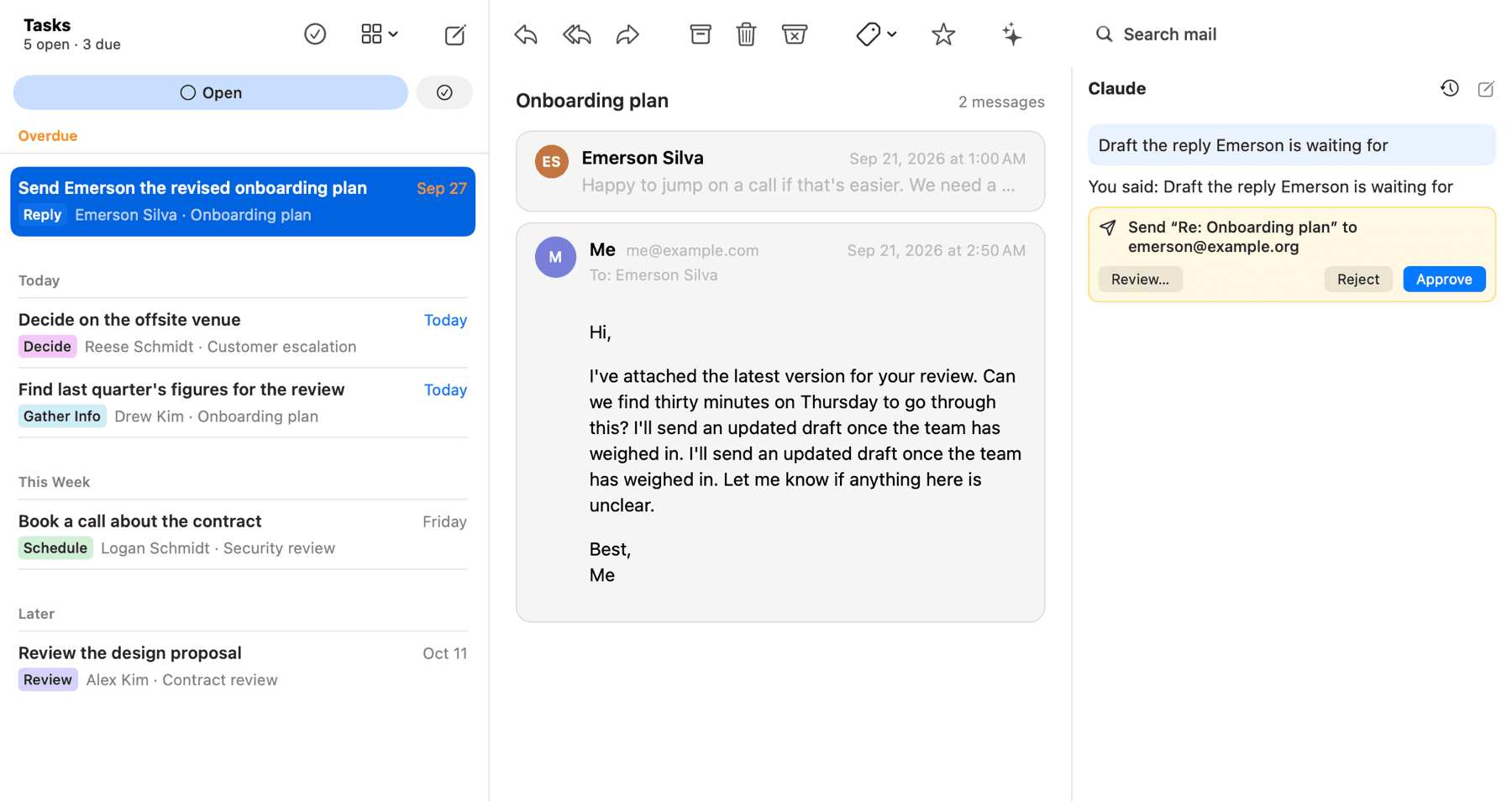
Your tasks, the email behind each one, and Claude working on it. Nothing is sent until you approve.
Try it with a demo mailbox
There is no download yet, so for now you build Kaluta from source. The demo mailbox is made-up mail that lives only on your Mac: you can explore everything without connecting an account.
Before you start
- A Mac with Apple Silicon, on macOS 26 or later
- Xcode 27, from the App Store
- Homebrew
- Optional, for real agents: Claude Code 2.1+ or Codex CLI 0.145+, logged in
- 1Get the code and the tools
git clone https://github.com/audiojak/kaluta
cd kaluta
./scripts/bootstrap.sh
Installs Rust and XcodeGen with Homebrew, and checks for Xcode.
- 2Build the app
scripts/test-macos.sh build
The first build takes a few minutes.
- 3Open it with the demo mailbox
open build/DerivedData/Build/Products/Debug/Kaluta.app --args -KalutaDemo YES
No agent CLI installed? Add -KalutaFakeAgents YES to the end to try the agent panel with a stand-in.
Pre-alpha: what to expect
- The mail client, tasks, agent integration and routines are implemented and tested against a demo mailbox, a fake Gmail and fake agent CLIs.
- The built-in Google sign-in is still in Google's testing mode, which only admits approved test accounts. To connect your own Gmail today, use your own Google OAuth client.
From inbox to done, with an agent at your side
Three things Kaluta does that other mail clients don't.
Can you send the revised plan? We need a decision by the end of the month.
Turn email into tasks, ready for agents
Press t on an email, or ⇧T on many. Claude suggests a title, a category, a due day and why; you accept or edit. Tasks stay on your Mac, and Gmail only sees a Task label.
Let an agent action the task
Ask Claude or Codex to gather what's needed, draft the reply or file the thread. Anything that would leave your Mac is a proposal you approve or reject.
Mail routines, on your Mac or in Claude's cloud
Sort automated mail into labels you check daily, weekly or monthly. Run a routine locally, or publish it as a Claude Code cloud routine through your own Claude login.
No backend
Mail goes from Google to your Mac and nowhere else. The project runs no servers, has no accounts and collects no telemetry.
Agents get tools, not your mailbox
An agent searches locally and reads only what it asks for. Every access is logged, and email content is treated as untrusted input.
You approve anything that leaves
Sending, forwarding and deleting are proposals you review. Archive, labels and drafts are reversible.
Bring your own AI
Works with the Claude Code and Codex CLIs you already use. Kaluta never sees your AI credentials.
How it works
Kaluta is a native Mac app: SwiftUI and AppKit over a Rust core. Your mail lives in a local database on your Mac, and the only way an agent reaches it is through the app's own mail tools.
We're looking for maintainers
Kaluta is MIT-licensed and built in the open. We're looking for people who want to help run it: reviewing pull requests, triaging issues, and owning parts of the app. It's a Swift (SwiftUI and AppKit) app over a Rust core, with agent integration through MCP — experience with any of these helps.